
FAQ - Financial years
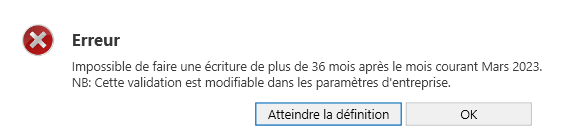
I'm trying to add a new financial year through Transaction Entry and this message is displayed. How can I fix this?
This message appears because the limit specified in the Settings for the number of open months allowed for future transactions has been reached. This number can be changed by clicking the "Go to definition" button or by accessing Company Settings . It is strongly recommended to close past months and/or financial years to avoid making accidental changes.
I closed the financial year by mistake. Can I reopen it?
Yes, it is possible to Reopen a closed financial year. This option is available under the Accounting menu, Financial Years button. Reopening the year allows you to add, correct, and even delete entries for that year.
Last updated: 10/19/26, 8:37 PM